
Free
7 free hours every month. Every feature included.
Every technical term, caught.
The fastest, most accurate translation engine
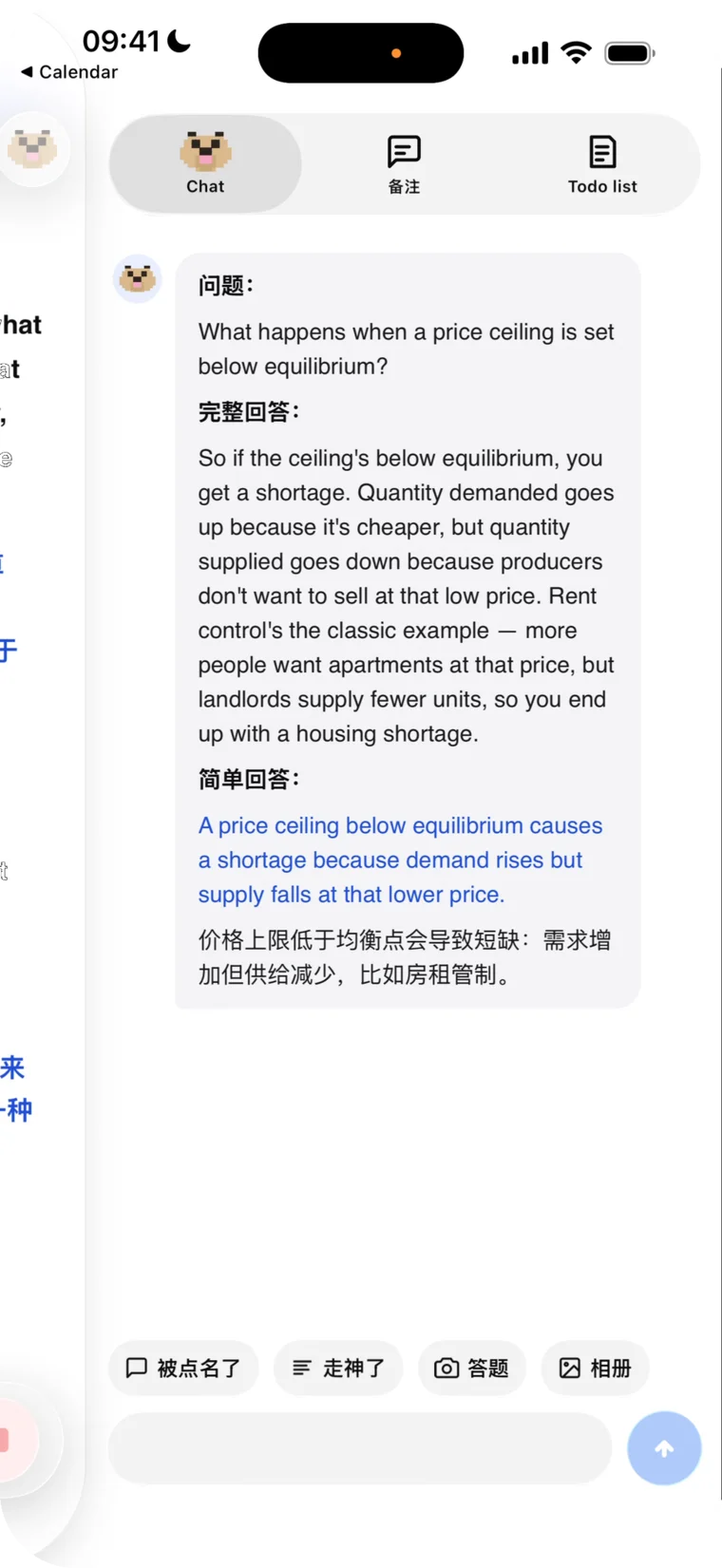
Called on?
Claude has your line.
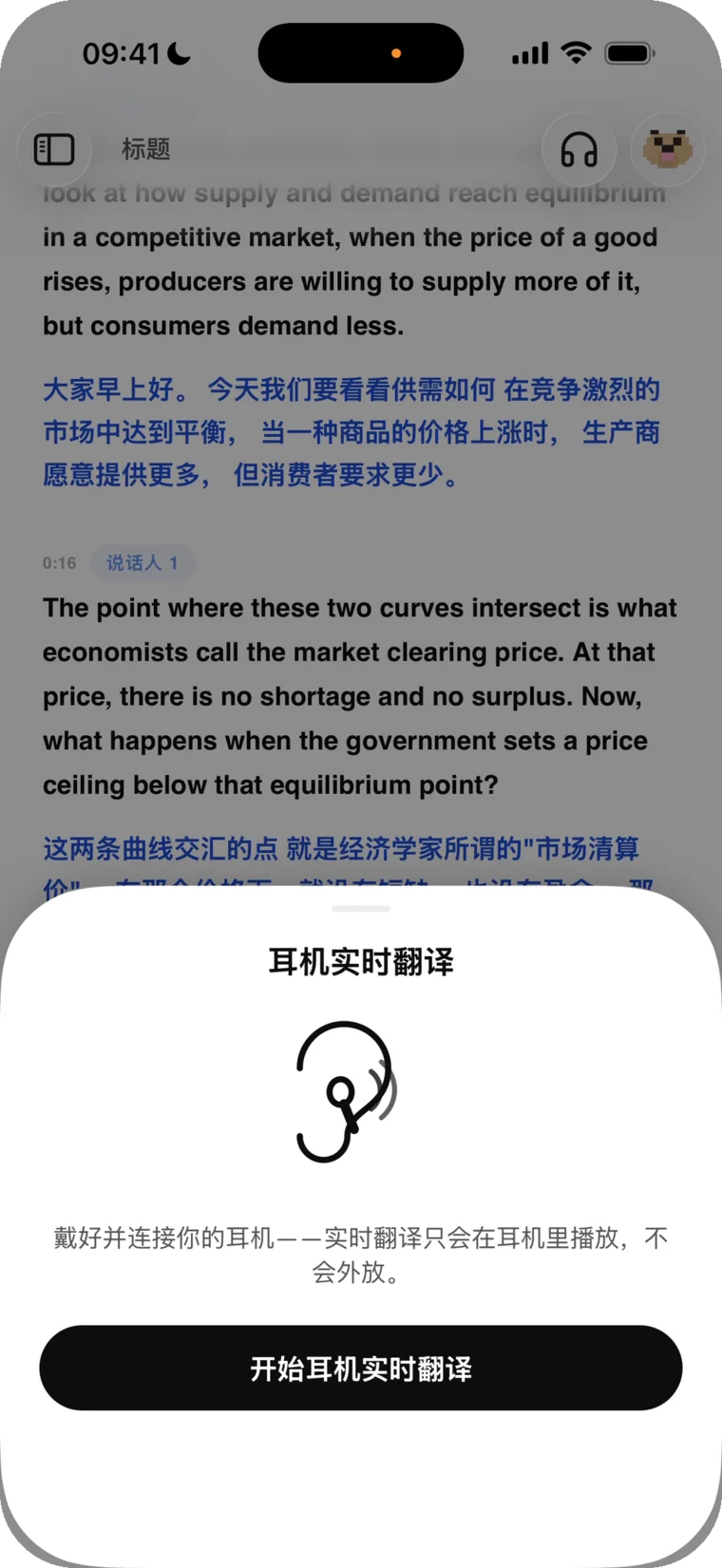
Live translation in your earbuds
Tidy recordings with a long press

iPhone · iPad · Mac · Windows
Play audio in any language — see for yourself how fast it is.
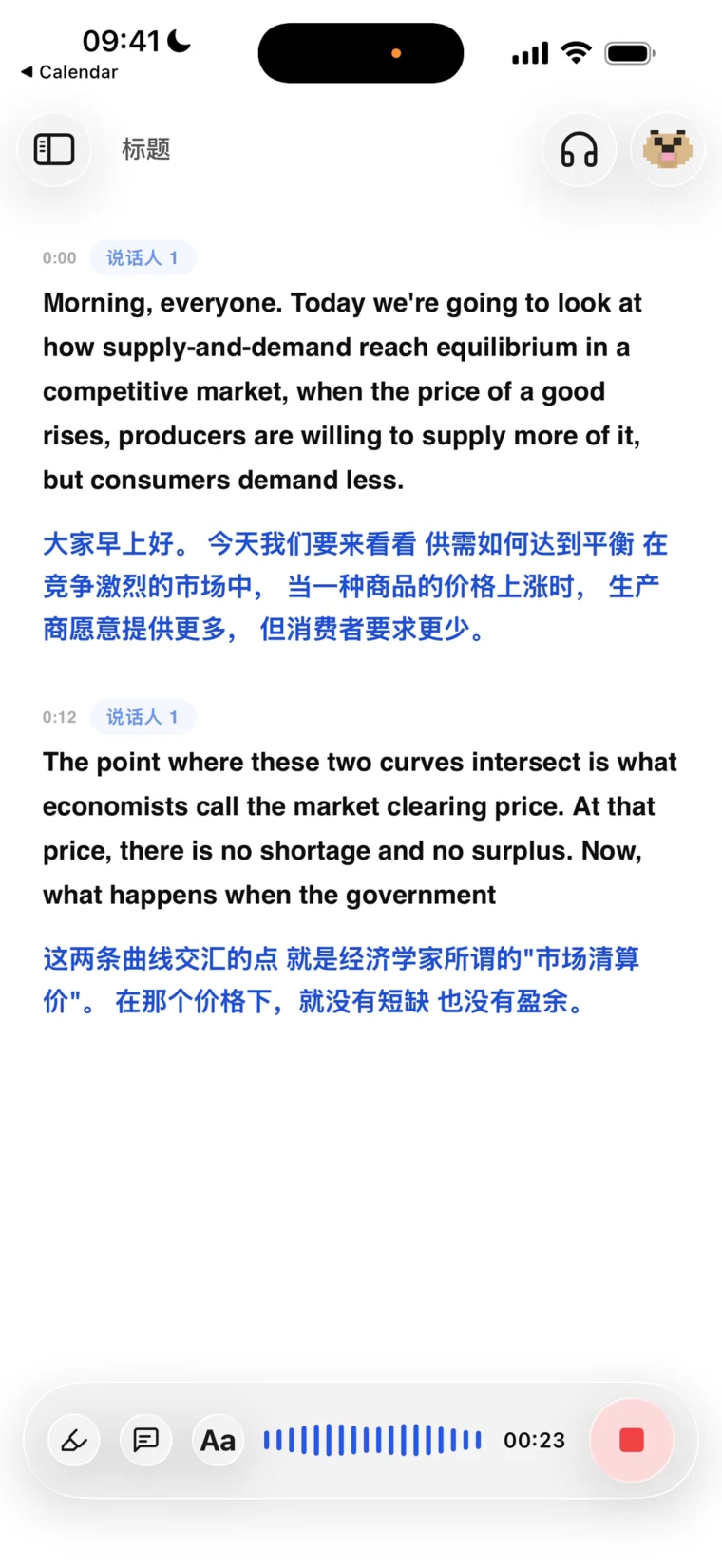
BufferMind's speech engine tops independent accuracy benchmarks. Every word hits the screen as it's spoken, and the translation lands about a second behind — through accents, fast talkers, and mixed languages.
Andy, your AI tutor, runs on Claude Sonnet 5 and Opus 5 — the most capable models Anthropic has ever shipped. Summaries, answers, and study notes with real understanding behind them.
Put on your headphones and the translation is spoken to you, live — only you hear it, never the room. Like carrying a personal interpreter.
Record on your phone, pick it up on your Mac or the web — every session syncs automatically. Audio uploads while you're still recording, so a dead battery or a crash can't take your recording away.
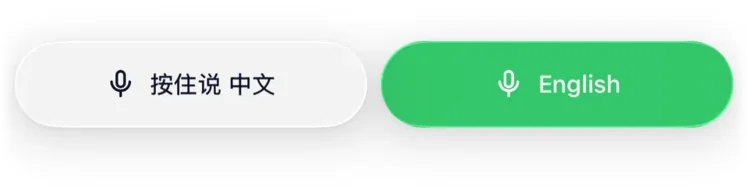
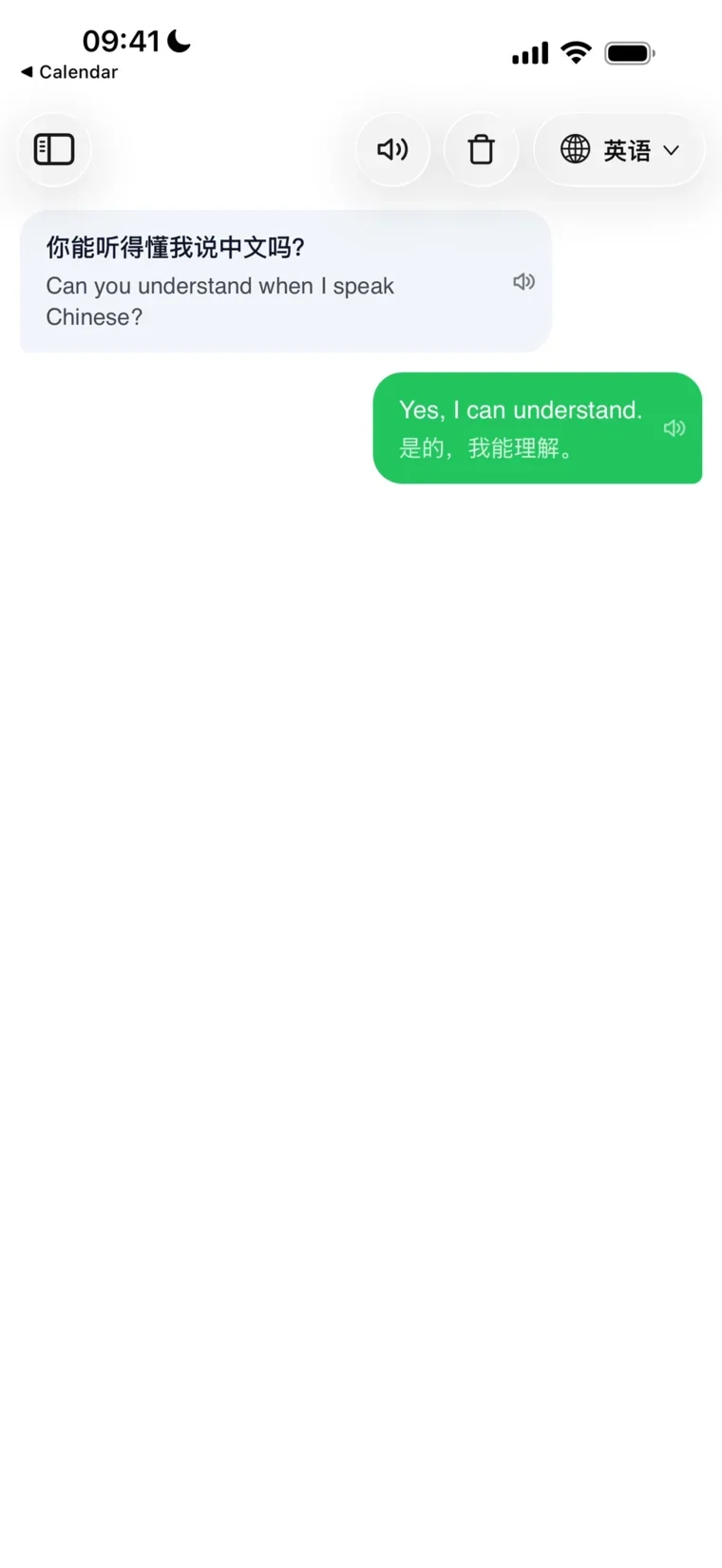
For face-to-face moments: each side holds a button and speaks their own language — the translation appears and speaks out loud instantly. Travel, small talk, real conversations.
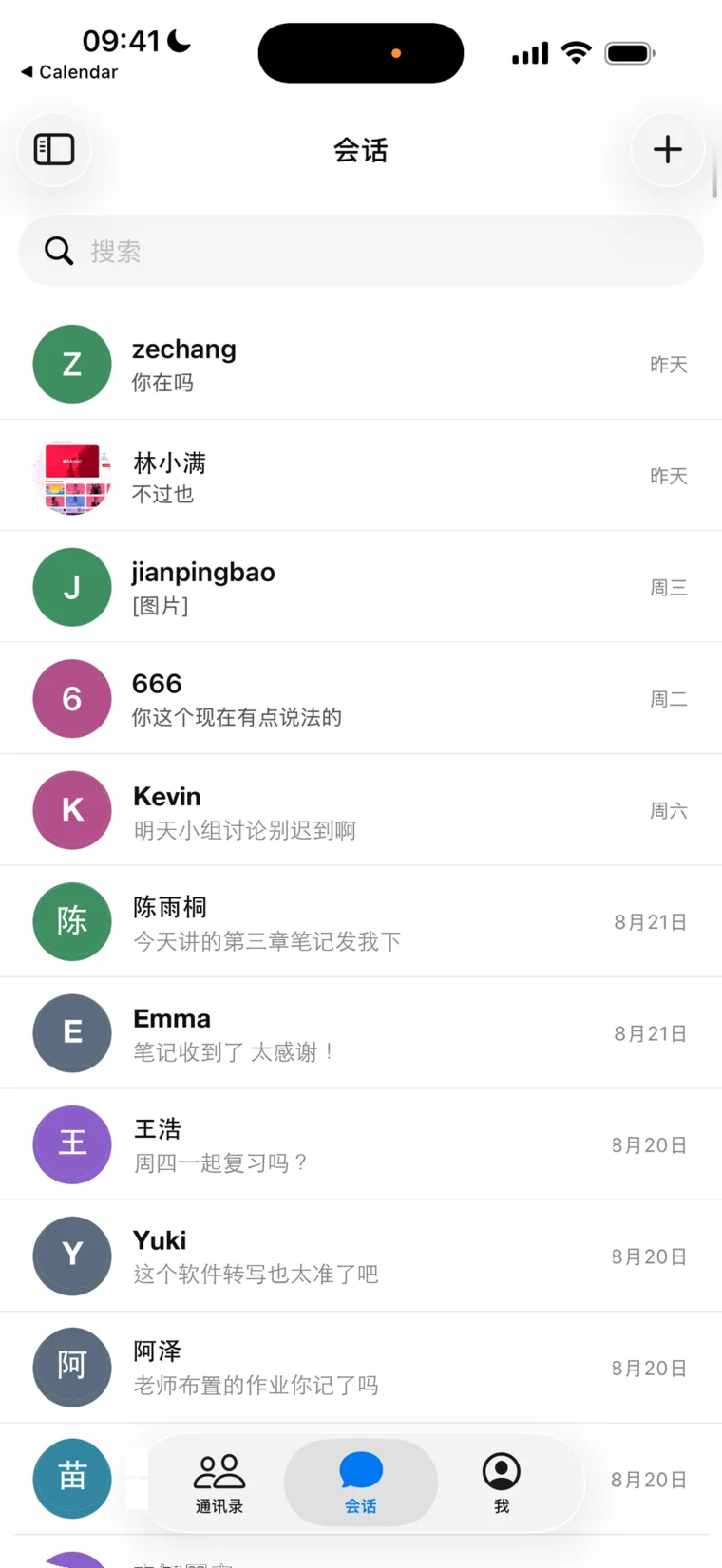
Chat, call, and share recordings with friends — send a whole lecture to a friend, swap notes, review together.
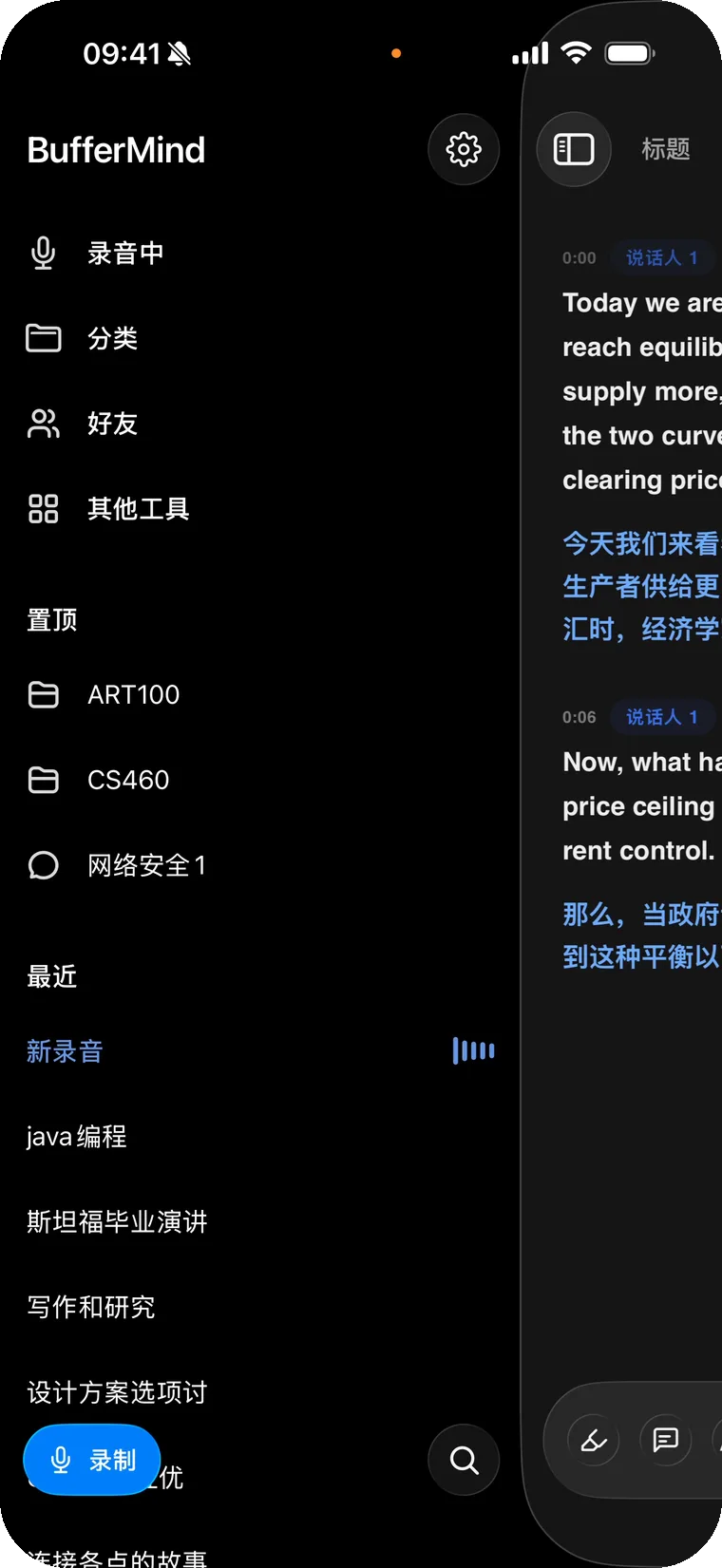
One app, every screen. Every feature unlocked.
7 free hours every month. Every feature included.
Sign in with one account and everything syncs through the cloud. Record on one device, review on any other.
Yes. The free plan includes every feature — 7 hours of recording and about 20 AI uses a month — with no credit card to start. Pro raises that to 35 hours of recording and about 100 AI uses a month for $9.99/month or $19.99 per 3-month term; Max removes the cap on both recording and AI for $19.99/month or $44.99 per term. A question counts as 1 AI use; review notes or a course analysis count as 3. Cancel anytime from inside the app.
60+ languages are auto-detected for transcription and translation — including English, Chinese (Mandarin & Cantonese), Spanish, Hindi, Korean, Japanese, French, German, Arabic, Russian, and more — powered by a single unified real-time speech model. The BufferMind app interface is currently localized in 6 languages.
Mac, iPhone, iPad, and any modern browser. The Mac app needs macOS 14 or later, on Apple Silicon or Intel; the iPhone and iPad app needs iOS 16.2 or later and an App Store account outside mainland China. Windows has a preview desktop app (a thin shell around the web app); on Android, open BufferMind in your browser. Sign in with the same account and your sessions sync automatically across every device.
Yes, on Mac, iPhone, iPad and in the browser. The Mac app captures the audio playing on your computer directly, so a Zoom or Google Meet call, a lecture recording or any video is transcribed without going through the microphone. In a Chromium-based browser (Chrome, Edge) you pick the meeting tab and turn on “Also share tab audio”. On iPhone and iPad, switch the source to System Audio and tap Start Broadcast when iOS asks — whatever another app is playing is captured. Phone and FaceTime calls are the one thing iOS keeps off-limits: for those, stay on the microphone and put the call on speaker.
Yes. Real-time transcription and translation stream audio to the cloud, so a stable internet connection is required. We're exploring on-device modes as lightweight models mature.
Recording and AI are two separate allowances, both resetting on the 1st of each month — the sidebar shows both. When one runs out, everything you have already recorded stays exactly where it is, and the other allowance keeps working: out of recording hours, you can still ask Andy about your notes; out of AI uses, you can still record. To keep going before the reset, move up to Pro or Max.
Transcription runs on a real-time speech model built for accented speech and for speakers who switch between languages mid-sentence. For course-specific vocabulary — names, acronyms, formulas — paste your syllabus, notes or glossary into that course's Knowledge Base, and BufferMind uses it as context for its summaries and for Andy's answers.
Every session is saved with the audio, transcript and translation kept in sync — tap any line to jump back to that moment. BufferMind writes a title and a summary for each session, groups them by course, and Andy can answer questions about what was said. Transcripts can be copied or exported as text to share with friends.
Yes. Enable speaker identification and BufferMind labels “Speaker 1,” “Speaker 2,” and so on within a session. Voiceprints are processed only during that session by our speech-recognition partner and are never stored by us.
Live captions, translation and notes for classes, meetings and calls.
Free to start, with free credits every month.
Nothing to install? Use BufferMind in your browser — same features, and it runs on macOS 13 too.
BufferMind
Every plan includes every feature. The tiers differ only in monthly recording time and AI usage. Pay monthly, or cover a full term at once.
For a heavier course load
Cancel anytime from inside the app.
That's $6.66 a month — save 33%. Cancel anytime from inside the app.
Get ProFor the most demanding schedules
Cancel anytime from inside the app.
That's $15.00 a month — save 25%. Cancel anytime from inside the app.
Get MaxThe free plan includes every feature, with a monthly recording and AI allowance and no credit card required. Start free. Max is the tier with no cap on recording or Andy.
Every plan has every feature. Choose by how much you record and how often you ask Andy each month.
| What you get | Free$0No credit card | Pro$9.99 / month$19.99 / 3 monthsCancel anytime | Max$19.99 / month$44.99 / 3 monthsCancel anytime |
|---|---|---|---|
| Live transcription & translation | Monthly allowance | 35 hours a month | No cap (fair use) |
| AI uses (questions, review notes, course analysis) | Monthly allowance | About 100 a month | Unlimited (fair use) |
| Top-up hours | Not available | 10 hours for $3.99, up to two a month | Not needed |
| 60+ languages, auto-detected | Included | Included | Included |
| Andy recaps and PDF export | Included | Included | Included |
| Syncs across iPhone, iPad, Mac, Windows and web | Included | Included | Included |
Plans bought on this website: open Settings in the app and choose Manage subscription. Plans bought through the App Store: open your Apple account's Subscriptions. Either way, cancelling stops the next charge and you keep your plan until the end of the current period.
For plans bought on this website, write to support@buffermind.com and we review every request case by case. Plans bought through the App Store are refunded by Apple, not by us: request a refund from Apple at reportaproblem.apple.com. See Terms §14.
You pay once for three months at a lower rate than paying monthly. The monthly allowance is the same as on the monthly plan and still resets every month. The term renews every three months until you cancel.
Purchases on this website are charged in US dollars; your card issuer converts at its own rate. Purchases through the App Store are priced and charged in your local storefront currency by Apple.
Yes. A plan belongs to your account, so it applies on iPhone, iPad, Mac, Windows and the web at once. The Mac app does not sell plans: buy on the website and it applies on Mac. Manage the plan where you bought it.
Pro subscribers can add 10 hours of recording for $3.99, up to two packs a month, from Settings in the app. Top-up hours never expire and are used after your monthly allowance runs out. If you need more than that every month, Max has no hour cap.
ZCC Labs
BufferMind is an AI translation copilot for everyone who lives, studies, and works in a second language.
Live a day in a second language and you know the feeling: the gap between hearing something and being ready to respond. You're still translating the last sentence while the room has already moved on. That gap is the buffer — and every international student knows it by heart.
BufferMind exists to close it. Live captions and translation keep you on pace with the room, and Andy — the AI copilot beside your notes — recaps what you missed and helps you speak up with confidence. This isn't a study hack; it's the tool we wished we had in our own lectures.
BufferMind is made by ZCC Labs LLC, a small team that ships every week. Small keeps us fast — student feedback lands in the app in days, not quarters. We believe the best tools disappear: they get out of the way and let you focus on the room you're in.


